

Customer Relationship Management (CRM) systems are pivotal in shaping how businesses interact with their customers. Customizing your CRM can unlock unparalleled efficiency and effectiveness in managing customer data, driving sales, and enhancing customer service.
In this comprehensive guide, we delve into the depths of CRM customization, offering insights and strategies to help you leverage the full potential of your CRM system.
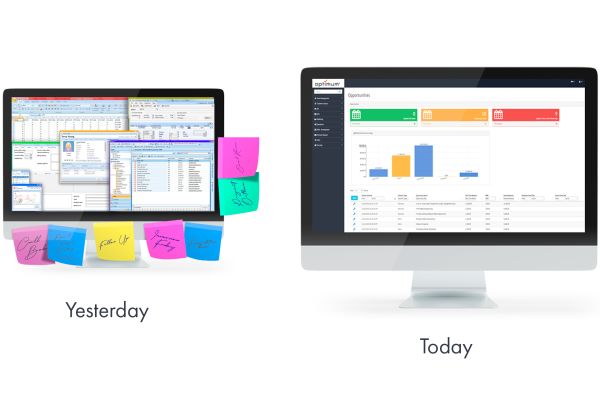
Key Takeaways:
- Custom workflows streamline processes and reduce manual input.
- Tailored data fields and analytics offer deeper insights.
- Custom solutions grow with your business, ensuring long-term sustainability.
Understanding CRM Customization
CRM customization involves tailoring a CRM system to meet the specific needs and workflows of an organization. This process can include modifying existing features, adding new functionalities, and integrating with other software to create a seamless operational ecosystem.
Benefits of CRM Customization
- Enhanced Efficiency: Custom workflows streamline processes, reducing manual input and increasing productivity.
- Improved Customer Insights: Tailored data fields and analytics provide deeper insights into customer behavior and preferences.
- Scalability: Custom solutions can grow with your business, ensuring long-term sustainability.
- Better User Adoption: A CRM that aligns with user needs encourages higher adoption rates and better utilization.
Steps to Effective CRM Customization
- Conduct a thorough assessment of your business processes and identify areas where CRM customization can add value. Engage with different departments to gather requirements and pain points.
- Clearly define the scope of customization, including specific features to be added or modified. Set realistic goals and timelines to ensure a structured implementation process.
- Select a CRM platform that offers robust customization capabilities and aligns with your business requirements. Consider factors such as scalability, ease of use, and support for integrations.
- Work with CRM experts to design and implement the customizations. Ensure that the changes are thoroughly tested to avoid disruptions to business operations.
- Provide comprehensive training to users to ensure they understand the new features and functionalities. Offer ongoing support to address any issues and encourage continuous improvement.
- Regularly monitor the performance of the customized CRM system and gather feedback from users. Use this data to make iterative improvements and ensure the system continues to meet evolving business needs.
Best Practices for CRM Customization
- Ensure Data Integrity: Implement data validation rules and regular audits to maintain high data quality.
- Prioritize User Experience: Focus on creating a user-friendly interface that simplifies tasks and enhances productivity.
- Leverage Automation: Utilize automation to reduce manual tasks and ensure consistency in customer interactions.
- Keep it Scalable: Design customizations with future growth in mind to avoid costly overhauls later.
- Document Customizations: Maintain detailed documentation of all customizations to facilitate troubleshooting and future upgrades.

FAQ
What is CRM customization?
Why is CRM customization important?
What are custom fields and modules?
Conclusion
Effective CRM customization can transform your business operations, driving efficiency, enhancing customer relationships, and providing valuable insights. By following the strategies outlined in this guide, you can create a CRM system that not only meets your current needs but also scales with your business as it grows.
Contact us today to learn if our no-code/low-code CRM Solution is right for you.